

How much can I borrow to buy my vehicle?
You can request anywhere from $2,000 up to $100,000, subject to your affordability and credit profile.
Do I need a deposit or trade-in?
No deposit or trade-in is needed! You can finance up to 100% of the cost of your vehicle, making it easier to shop like a "cash" buyer.
Can I buy from a private seller?
Yes, you can! Harmoney has no restrictions on where you purchase your vehicle, so both dealerships and private sales are acceptable.
Can I use a Harmoney loan to pay off my loan from the vehicle dealer?
Absolutely. Once your loan is approved, you can use the funds to pay off your old loan and enjoy a new fixed rate with no early repayment fees.
What are my loan options when applying for a vehicle loan?
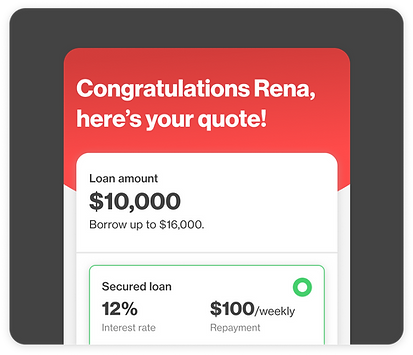
When you get a quote, you can choose between a secured and an unsecured loan. The choice is yours. A secured loan typically has a lower interest rate because the vehicle acts as collateral.|
Learn more about interest rates.
Can I use my loan to buy any type of vehicle?
For an unsecured loan, you can purchase any type of vehicle, such as cars, motorbikes, trucks, buses, and vans. However, for a secured loan, you can only purchase a car or a motorbike.
How long do I have to secure my loan?
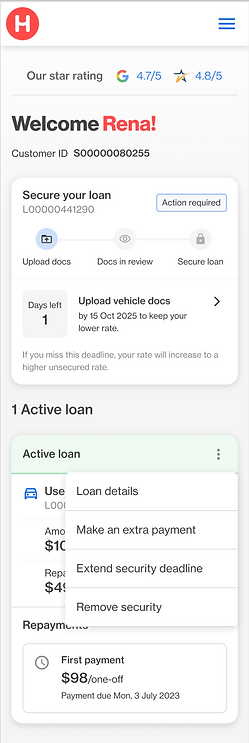
From the day your funds are disbursed into your account, you have 60 days to buy your vehicle and secure your loan. If you don't secure your loan within 60 days, it will convert to an unsecured loan, which carries a higher interest rate.
What do I need to do to secure my loan?
- Enter into your loan contract and receive your money.
- Buy a vehicle within 60 days. This vehicle will then serve as security for your loan, allowing you to enjoy your lower interest rate.
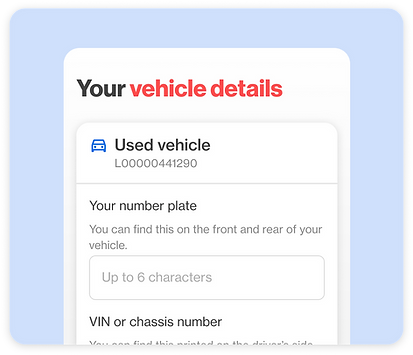
- Complete the vehicle details form from your dashboard.
- is in your name;
- is with a reputable insurance company;
- has comprehensive cover for the vehicle's full value or a minimum of $10,000, whichever is greater; and
- names “Harmoney Australia Pty Ltd” as an interested party.
IMPORTANT
If you don't buy a vehicle and complete the vehicle details form within 60 days, your rate becomes a higher unsecured rate.
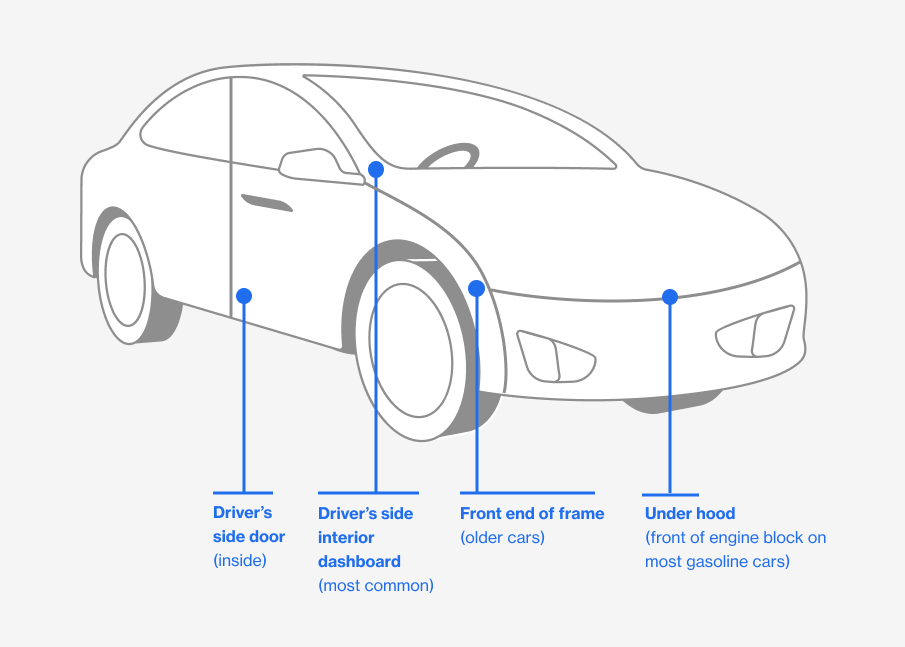
Where can I find my VIN or chassis number?
It is a long established fact that a reader will be distracted by the readable content of a page when looking at its layout. The point of using Lorem Ipsum is that it has a more-or-less normal distribution of letters, as opposed to using 'Content here, content here', making it look like readable English.
In most cars, you can find your VIN printed on the driver’s side interior dashboard otherwise you will be able to find it in one of the below locations.
Can I extend my deadline to secure my loan?
Yes. If you need more time, you can extend your deadline by 30 days. This option becomes available 10 days before your current deadline, and you can only extend once. To do this, simply log in to your dashboard and select “Extend security deadline”.
What happens if my security details cannot be verified?
If your vehicle does not meet our eligibility criteria or we do not receive the required documents, we will not be able to use your vehicle as security, and your loan will revert to an unsecured loan, at a higher interest rate.
What happens if I want to sell my vehicle after I take the loan?
Unsecured Loan If you have an unsecured loan, your vehicle is not tied to the loan agreement. This means you can sell your vehilce at any time without needing to notify us or gaining our permission. The loan remains in place as a personal loan, and your repayment schedule continues as originally planned.
Secured Loan A secured loan uses your vehicle as collateral. This means the loan is secured against the vehicle, and we have a financial interest in it until the loan is fully repaid. If you want to sell the vehicle, you have two options:
- Pay off the loan: You can pay the remaining balance of your loan in full. Once the loan is paid off, the security registration over your vehicle is released, and you are free to sell it. We do not charge any fees for an early repayment.
- Remove the vehicle from the loan: If you’d like to sell your vehicle but keep your loan, you can apply to have the security registration over your vehicle released early. Once approved, we’ll remove the vehicle as security within 1–2 business days. After 20 days, your loan will automatically switch to an unsecured loan with a higher interest rate.